Your best task capture happens at the worst times: driving, carrying groceries, mid-walk, half-asleep. Your thumbs are busy. Your voice never is.
Why voice wins the capture race
A thought survives roughly as long as it takes something else to happen. Typing a task means unlock, find app, new item, type, categorize: five chances for the thought to die or the moment to pass. Speaking is one motion, and it works when your hands cannot: in the car, on a walk, elbow-deep in dinner. Every capture system lives or dies on friction, and voice is as close to zero as phones currently get.
Where plain dictation falls apart
Dictating into a notes app solves the capture and creates a new job. "Call the dentist and pick up the dry cleaning and Emma needs poster board for Thursday and I should really email Mark about the invoice" lands as one run-on paragraph. Nothing is checkable, nothing has a home, and Thursday's deadline is buried mid-sentence. You have not made a to-do list; you have made a transcript.
What Sukima does with what you say
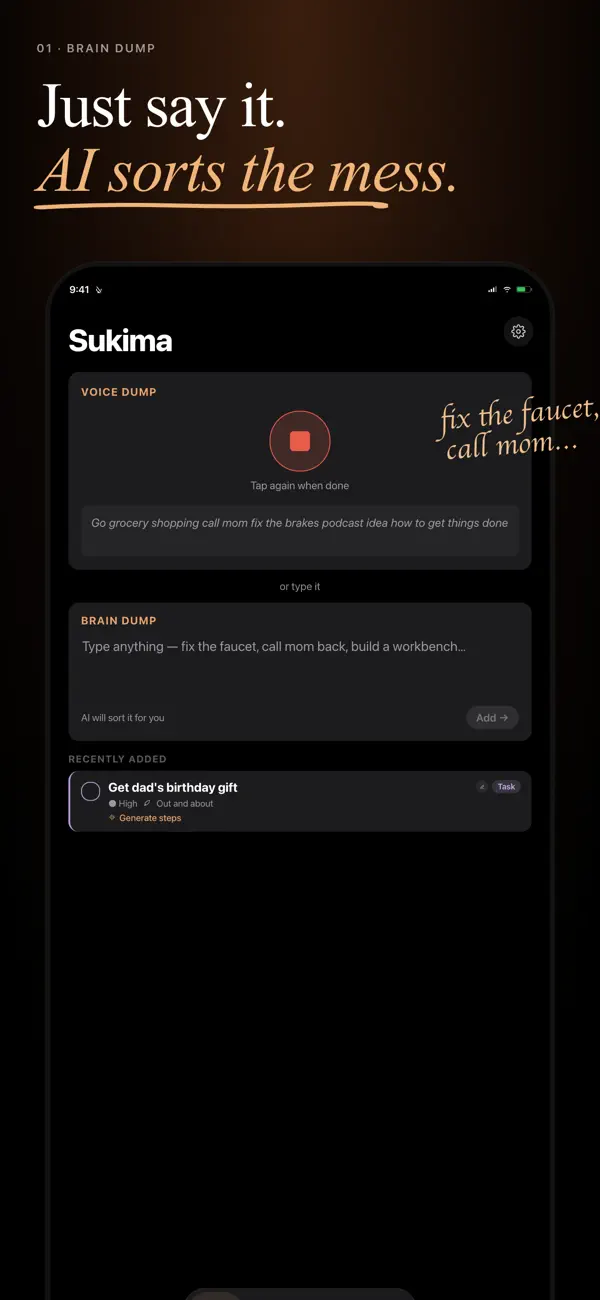
Sukima treats speech as input to be understood, not just transcribed. That one rambling sentence becomes four discrete tasks: the dentist call, the dry cleaning, the poster board (with Thursday attached), the email to Mark. Related items cluster into projects on their own. You never file anything, and the mess of how you actually talk is the expected input, not a formatting failure.
- Open Sukima, hit the mic, and say everything currently rattling in your head, one breath, no structure.
- Watch it land as separate, checkable tasks with sensible homes.
- Later, ask "What now?" and let the pick surface the right one at the right time.
Voice in, but also plan out
Capture is only half a to-do list's job; the other half is handing tasks back at the right moment. This is where a voice to-do list stops being a gadget and becomes a system: the things you said while driving resurface when you have fifteen minutes to act, or assemble into a schedule when you ask Sukima to plan your day. Speech to structure to action, with your thumbs never involved.
Frequently asked questions
Keep reading
Your day is full of gaps. Sukima fills them.
Brain dump everything on your mind and get told exactly what to do next. No setup, no sorting, no decisions required.
Download on the App Store Get it on Google Play Open the web app →